 RISC-V 测试矩阵
RevyOS @ Milk-V Pioneer 测试报告
支持状态
GOOD
系统版本
20251030
最后更新
2025-10-29
RevyOS Pioneer 测试报告
测试环境
操作系统信息
- 系统版本:RevyOS 20251030
- 下载链接:https://fast-mirror.isrc.ac.cn/revyos/extra/images/sg2042/20251030/
- 参考安装文档:https://docs.revyos.dev/docs/Installation/milkv-pioneer/
硬件信息
- Milk-V Pioneer Box v1.3
- microSD 卡一张
- NMVE SSD 及硬盘盒
- HDMI 线 + 显示器
安装步骤
刷写固件
SD 卡(推荐第一次使用)
下载固件并刷入 SD 卡中:
wget https://fast-mirror.isrc.ac.cn/revyos/extra/images/sg2042/20251030/firmware_sg2042-single-sg2042-upstream-v6.17.y-sg204x-v1.7.img
sudo dd if=firmware_sg2042-single-sg2042-upstream-v6.17.y-sg204x-v1.7.img of=/dev/your/sd/card
sync
插入 SD 卡到 Pioneer Box。
SPI Flash
你需要在 Pioneer Box 上有一个正在运行的系统才能刷写 SPI Flash。
安装 mtd 相关软件:
sudo apt install mtd-utils
sudo modprobe mtdblock
下载固件并刷入 SPI Flash 注意此处固件以 .bin 结尾
wget https://fast-mirror.isrc.ac.cn/revyos/extra/images/sg2042/20251030/firmware_sg2042-single-sg2042-upstream-v6.17.y-sg204x-v1.7.bin
sudo flashcp -v firmware_sg2042-single-sg2042-upstream-v6.17.y-sg204x-v1.7.bin /dev/mtd1
刷写镜像
使用 zstd 解压镜像。
使用 dd 将镜像写入 microSD 卡。
zstd -d /path/to/revyos-pioneer-20251030-004123.img.zst
dd if=/path/to/revyos-pioneer-20251030-004123.img.zst of=/dev/yout-device bs=4M status=progress
常见问题
- 若需要从 SD 卡启动,需要手动向其中添加 Fip.bin 和 ZSBL。
- 若串口出现乱码,可能需要升级固件。
登录系统
通过图形界面登录系统。
默认用户名:debian
默认密码:debian
测试判定标准
测试成功:实际结果与预期结果相符。
测试失败:实际结果与预期结果不符。
预期结果
系统正常启动,能够通过图形界面登录。
实际结果
系统正常启动,成功通过图形界面登录。
启动信息
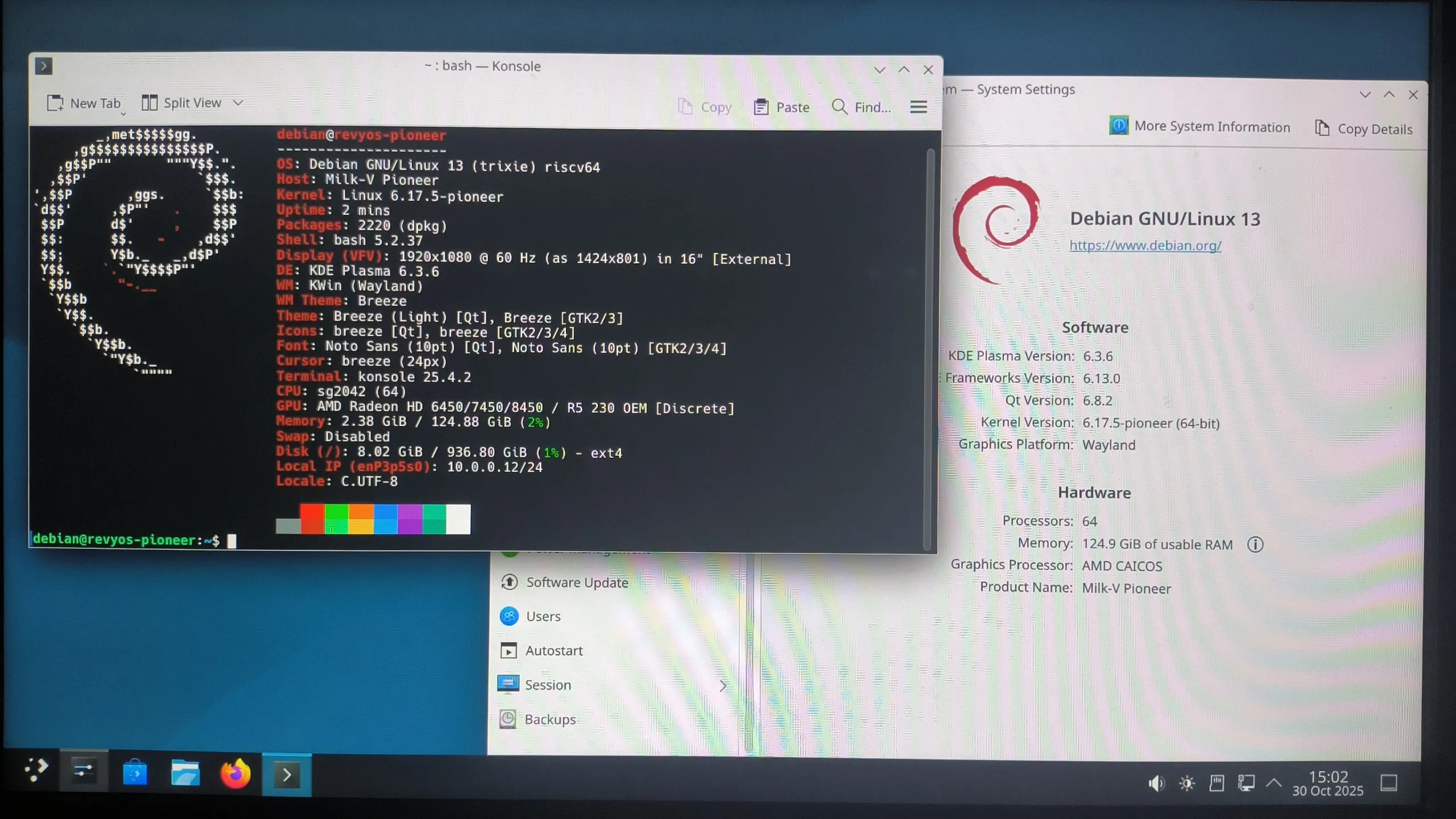
Linux revyos-pioneer 6.17.5-pioneer #2025.10.24.07.33+1a3936919 SMP Fri Oct 24 08:22:44 UTC 2025 riscv64

The programs included with the Debian GNU/Linux system are free software;
the exact distribution terms for each program are described in the
individual files in /usr/share/doc/*/copyright.

Debian GNU/Linux comes with ABSOLUTELY NO WARRANTY, to the extent
permitted by applicable law.
debian@revyos-pioneer:~$ fastfetch
        _,met$$$$$gg.          debian@revyos-pioneer
     ,g$$$$$$$$$$$$$$$P.       ---------------------
   ,g$$P""       """Y$$.".     OS: Debian GNU/Linux 13 (trixie) riscv64
  ,$$P'              `$$$.     Host: Milk-V Pioneer
',$$P       ,ggs.     `$$b:    Kernel: Linux 6.17.5-pioneer
`d$$'     ,$P"'   .    $$$     Uptime: 32 mins
 $$P      d$'     ,    $$P     Packages: 2220 (dpkg)
 $$:      $$.   -    ,d$$'     Shell: bash 5.2.37
 $$;      Y$b._   _,d$P'       Display (IDVED11): 1920x1080 @ 60 Hz in 28" [External]
 Y$$.    `.`"Y$$$$P"'          Theme: Breeze [GTK2/3]
 `$$b      "-.__               Icons: breeze [GTK2/3/4]
  `Y$$b                        Font: Noto Sans (10pt) [GTK2/3/4]
   `Y$$.                       Cursor: breeze (24px)
     `$$b.                     Terminal: /dev/pts/0
       `Y$$b.                  CPU: sg2042 (64)
         `"Y$b._               GPU: AMD Radeon HD 6450/7450/8450 / R5 230 OEM [Discrete]
             `""""             Memory: 1.68 GiB / 124.88 GiB (1%)
                               Swap: Disabled
                               Disk (/): 8.01 GiB / 936.80 GiB (1%) - ext4
                               Local IP (enP3p5s0): 10.0.0.12/24
                               Locale: C


debian@revyos-pioneer:~$ uname -a
Linux revyos-pioneer 6.17.5-pioneer #2025.10.24.07.33+1a3936919 SMP Fri Oct 24 08:22:44 UTC 2025 riscv64 GNU/Linux
debian@revyos-pioneer:~$
串口日志(从刷写系统到启动系统):

测试结论
测试成功。
来源: 支持矩阵